
Carpal tunnel from typing: Causes, Prevention & Expert Treatment in UAE
Understanding carpal tunnel from typing: Causes, Symptoms & Expert Care As a Fellowship-Trained Hand, Wrist, and Upper Limb Surgeon, Dr. Mohammad Ali...
 Written by
Dr Mohammad Ali
Written by
Dr Mohammad Ali
Understanding carpal tunnel from typing: Causes, Symptoms & Expert Care
As a Fellowship-Trained Hand, Wrist, and Upper Limb Surgeon, Dr. Mohammad Ali brings specialized expertise to conditions like carpal tunnel syndrome. Our focus at dubaihand.com is providing advanced orthopedic care to patients across Dubai and the UAE.
Experiencing pain or numbness and suspecting carpal tunnel from typing? This common condition affects many who spend hours at a keyboard. Understanding its true causes, preventing its onset, and exploring effective treatments are crucial steps toward relief and long-term hand health.
What is carpal tunnel syndrome, and can typing cause it?
Carpal tunnel syndrome is a frequent concern, but the relationship is often misunderstood. Carpal tunnel syndrome (CTS) occurs when the median nerve, which runs from your forearm into your hand, becomes compressed at the wrist. This compression happens within the carpal tunnel, a narrow passageway of bones and ligaments.
Recent research clarifies that while typing doesn’t directly cause CTS in most cases, it is a significant aggravating factor. [3] [4] Repetitive motions and, critically, sustained awkward wrist postures contribute to inflammation and pressure within the carpal tunnel.
[5] [6] [7] [8] [9] [10] [11] [12] [13]
Does typing too much actually cause carpal tunnel?
While occupational activities involving repetitive wrist flexion and extension are linked to CTS, typing volume alone isn’t the sole cause. A 2008 study noted that evidence linking computer use to CTS was mixed, emphasizing that risk factors are often multifactorial.[7] [11] However, poor ergonomics and prolonged incorrect posture can certainly exacerbate existing predispositions or accelerate symptom development.
How long does it take to get carpal tunnel from typing?
There’s no fixed timeline for developing carpal tunnel from typing. It typically develops gradually over weeks, months, or even years of consistent aggravating factors. Individual susceptibility, underlying health conditions (like diabetes or thyroid issues), and ergonomic habits all play a role in its onset and progression.
Recognizing Symptoms of carpal tunnel from typing
Identifying the symptoms of this condition early is key to effective management. These symptoms usually begin subtly and worsen over time, often affecting the dominant hand first.
Is wrist pain from typing a sign of carpal tunnel syndrome?
Yes, wrist pain from typing can certainly be a sign of carpal tunnel syndrome, though it’s not the only indicator. Many individuals with CTS experience a range of sensations in the hand and wrist. Other common symptoms include:
- Numbness or tingling in the thumb, index, middle, and ring fingers.
- Weakness in the hand, making it difficult to grip objects or perform fine motor tasks.
- Aching or discomfort that radiates up the forearm.
- Burning sensations in the fingers or hand.
These symptoms often worsen at night or after prolonged periods of activity, such as typing or using a smartphone. If you experience persistent wrist pain from typing, seeking a professional opinion is advisable.
My hands hurt from phone use, is it carpal tunnel phone use smartphone related?
Excessive carpal tunnel phone use smartphone interaction can indeed contribute to similar symptoms as typing. Holding a phone for extended periods, especially with the wrist bent or flexed, can put pressure on the median nerve. The repetitive thumb movements for scrolling and typing on a small screen also increase strain. This falls under the umbrella of carpal tunnel syndrome UAE patients often experience due to modern digital habits.
Preventing carpal tunnel from typing: Ergonomics and Lifestyle
Prevention is paramount, especially for office workers and those with a desk job wrist pain UAE. Implementing ergonomic adjustments and adopting healthier habits can significantly reduce the risk of developing or aggravating carpal tunnel syndrome.
Ergonomic keyboard mouse carpal tunnel prevention strategies
Optimizing your workspace is a critical step in carpal tunnel prevention typing. The goal is to maintain a neutral wrist position, minimizing bending or extension. Consider these adjustments:
- Keyboard Position: Place your keyboard directly in front of you, close enough so your elbows are at a 90-degree angle and wrists remain straight.
- Mouse Placement: Keep your mouse close to your keyboard to avoid overreaching.
- Wrist Rests: Use a wrist rest only for resting between typing, not while actively typing, as it can put pressure on the carpal tunnel.
- Chair Height: Adjust your chair so your feet are flat on the floor and your forearms are parallel to the floor.
- Monitor Height: Your monitor should be at eye level to prevent neck and shoulder strain, which can indirectly affect wrist posture.
Investing in an ergonomic keyboard mouse carpal tunnel prevention setup can make a substantial difference . Split keyboards or vertical mice can encourage a more natural hand and wrist alignment.
Managing repetitive strain injury wrist office workers commonly face
Regular breaks and specific exercises can alleviate repetitive strain injury wrist office workers face. Incorporate these into your routine:
- Wrist Flexor Stretch: Extend one arm forward, palm up. Use your other hand to gently pull your fingers down toward your body, feeling a stretch in your forearm. Hold for 15-30 seconds.
- Wrist Extensor Stretch: Extend one arm forward, palm down. Use your other hand to gently pull your fingers down toward your body. Hold for 15-30 seconds.
- Nerve Glides: Make a fist, then extend fingers straight. Bend wrist back, then bring fingers back to a fist. Slowly repeat.
- Hand Squeezes: Use a soft ball or stress reliever to gently squeeze and release, improving hand strength.
Perform these exercises several times throughout the day, especially during short breaks from typing.
Recent Insights: Understanding the Link in 2026
The understanding of carpal tunnel syndrome continues to evolve. As of 2025, the medical community emphasizes a multifactorial approach to CTS, moving beyond simple causation to a more nuanced view of risk and aggravation.
What’s new in understanding carpal tunnel from typing?
Recent research highlights the critical role of sustained wrist extension or flexion, rather than just raw typing speed or volume. For instance, studies now more strongly link prolonged deviation of the wrist from a neutral position to increased pressure within the carpal tunnel . This means even moderate typing can be problematic if ergonomics are poor, while high-volume typing with excellent posture might pose less risk. This updated perspective reinforces the importance of sports injury prevention principles in daily work habits.
Can typing too fast cause carpal tunnel?
Typing speed itself is not a primary risk factor for carpal tunnel syndrome. The key concern remains the sustained wrist posture and the force applied, rather than how quickly the fingers move. Rapid typing with poor form, however, will exacerbate the problem more quickly than slow typing with poor form. Focus on maintaining a neutral wrist and light touch, regardless of your speed.
Diagnosis and Treatment for carpal tunnel from typing
If you suspect you have carpal tunnel from typing, seeking a professional diagnosis is the first step toward relief. Dr. Mohammad Ali offers comprehensive evaluation and tailored treatment plans for patients in Dubai and the UAE.
How is carpal tunnel syndrome diagnosed?
Diagnosis typically involves a thorough clinical examination, assessing your symptoms and medical history. Key diagnostic tests include:
- Physical Exam: Checking for numbness, weakness, and tenderness in the wrist.
- Tinel’s Sign: Tapping over the median nerve at the wrist to see if it causes tingling.
- Phalen’s Maneuver: Holding your wrists in a flexed position for a minute to provoke symptoms.
- Nerve Conduction Studies (NCS) and Electromyography (EMG): These tests measure how well nerves transmit electrical signals and can confirm nerve compression, determining its severity.
An accurate diagnosis is crucial to distinguish CTS from other conditions that cause hand or wrist pain treatment, such as tendinitis or cervical radiculopathy.
Treatment options for carpal tunnel syndrome
Treatment for carpal tunnel syndrome ranges from conservative approaches to surgical intervention, depending on the severity of your condition and how long you’ve experienced symptoms.
Conservative Treatments
Many patients find relief with non-surgical methods, especially when symptoms are mild or caught early. These include:
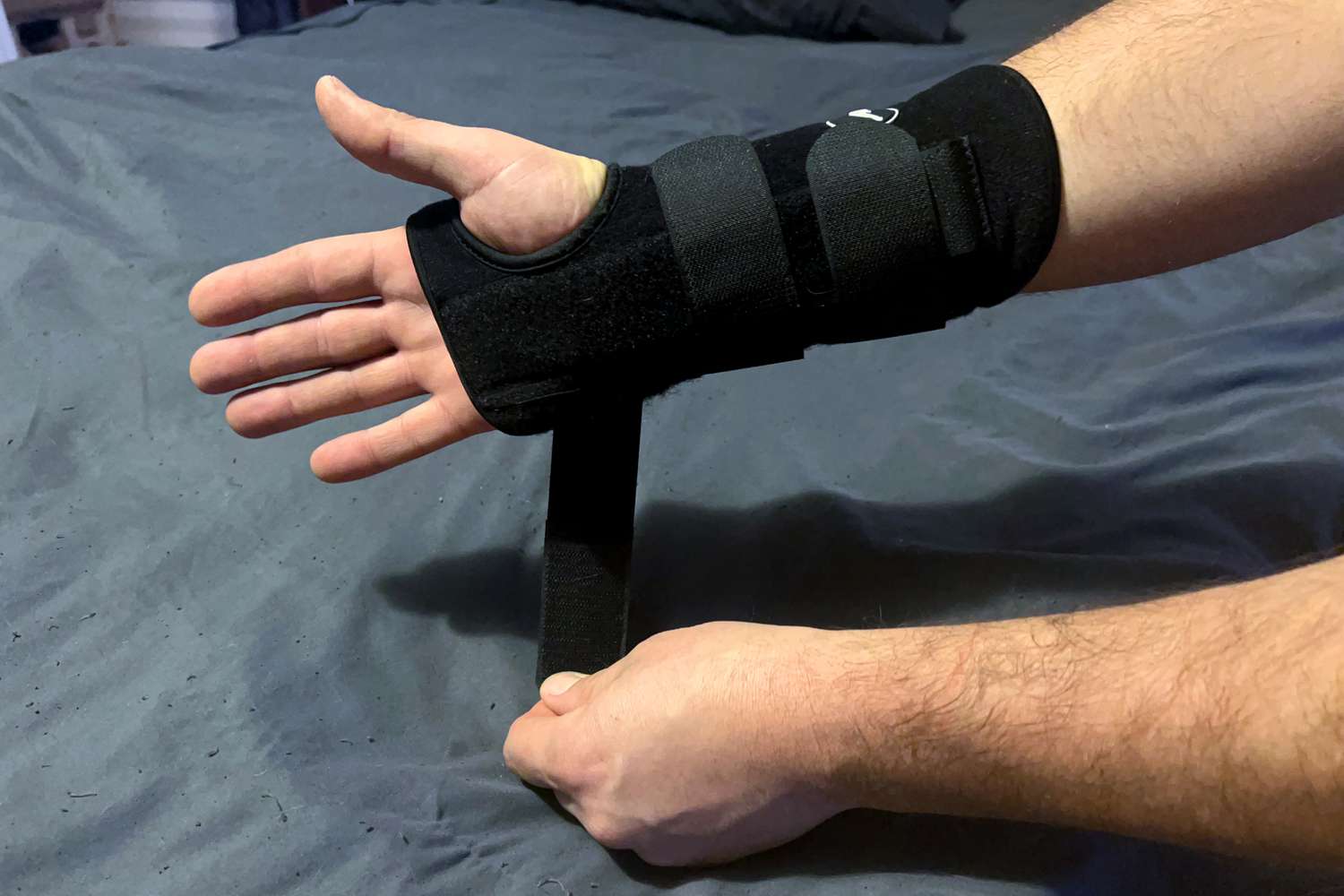
- Wrist Splinting: Wearing a splint, especially at night, keeps the wrist in a neutral position, reducing pressure on the median nerve.
- Activity Modification: Identifying and avoiding activities that aggravate symptoms, such as prolonged typing without breaks.
- Anti-inflammatory Medications: Over-the-counter pain relievers like ibuprofen can help reduce pain and inflammation.
- Corticosteroid Injections: Hand and wrist injections of corticosteroids into the carpal tunnel can reduce inflammation and swelling, providing temporary relief
- Physical Therapy: Specific exercises and stretches can improve nerve gliding and strengthen surrounding muscles.
Surgical Treatment
When conservative treatments fail to provide lasting relief, or if nerve compression is severe, carpal tunnel release surgery may be recommended. This procedure involves cutting the transverse carpal ligament, which relieves pressure on the median nerve. Surgery can be performed using:
- Open Carpal Tunnel Release: A small incision is made in the palm.
- Endoscopic Carpal Tunnel Release: Smaller incisions are used with the aid of a tiny camera.
Both methods are highly effective. Recovery typically involves a period of rehabilitation, and most patients experience significant improvement in symptoms. Learn more about surgical options like carpal ligaments repair.
Frequently Asked Questions About carpal tunnel from typing
Can using a keyboard cause carpal tunnel?
While using a keyboard doesn’t directly cause carpal tunnel syndrome, it can be a significant contributing factor. Poor wrist posture, repetitive motions, and insufficient breaks during keyboard use can aggravate the median nerve, leading to carpal tunnel symptoms.
What are the symptoms of carpal tunnel from typing?
Symptoms of carpal tunnel from typing typically include numbness, tingling, or burning sensations in the thumb, index, middle, and ring fingers. You might also experience weakness in the hand, difficulty gripping objects, and pain that radiates up the forearm, often worsening at night.
Is there a difference in carpal tunnel from typing vs. mouse use?
Both typing and mouse use can contribute to carpal tunnel syndrome, primarily through repetitive motions and sustained awkward wrist postures. Mouse use, especially with an incorrectly sized or positioned mouse, can lead to prolonged wrist extension or deviation, increasing pressure on the median nerve.
What are the best ways to prevent desk job wrist pain in the UAE?
To prevent desk job wrist pain in the UAE, focus on ergonomic workstation setup, maintaining neutral wrist posture, taking frequent micro-breaks, and performing regular wrist stretches. Consider an ergonomic keyboard and mouse, and ensure your chair and monitor are properly adjusted to support good posture.
How can I manage repetitive strain injury wrist office workers commonly face?
Managing repetitive strain injury (RSI) in office workers involves a multi-faceted approach. Implement ergonomic workstation adjustments, take regular stretch breaks, practice proper posture, and use wrist splints if recommended. Early intervention and seeking professional advice for persistent pain are crucial.
Resources and Further Reading
- NIH National Library of Medicine (PMC): A scientific article evaluating the evidence for occupational risk factors for carpal tunnel syndrome.
Conclusion
While the direct causation of carpal tunnel from typing remains a debated topic, the role of repetitive motion and poor ergonomics in aggravating or accelerating the condition is undeniable. Prioritizing proper posture, ergonomic equipment, and regular breaks is essential for prevention. Early recognition of symptoms and timely intervention can significantly improve outcomes for those experiencing wrist pain from typing.
Ready to Take the Next Step?
If you’re experiencing symptoms of carpal tunnel from typing and are seeking expert orthopedic care in Dubai or the wider UAE, Dr. Mohammad Ali is here to help. Schedule a consultation today to receive a precise diagnosis and a personalized treatment plan designed for your hand and wrist health needs. Contact Dubai Hand for a specialized carpal tunnel consultation.